A closer look
Simple for volunteers.
Clear for leaders.
Everyone knows who to call today.
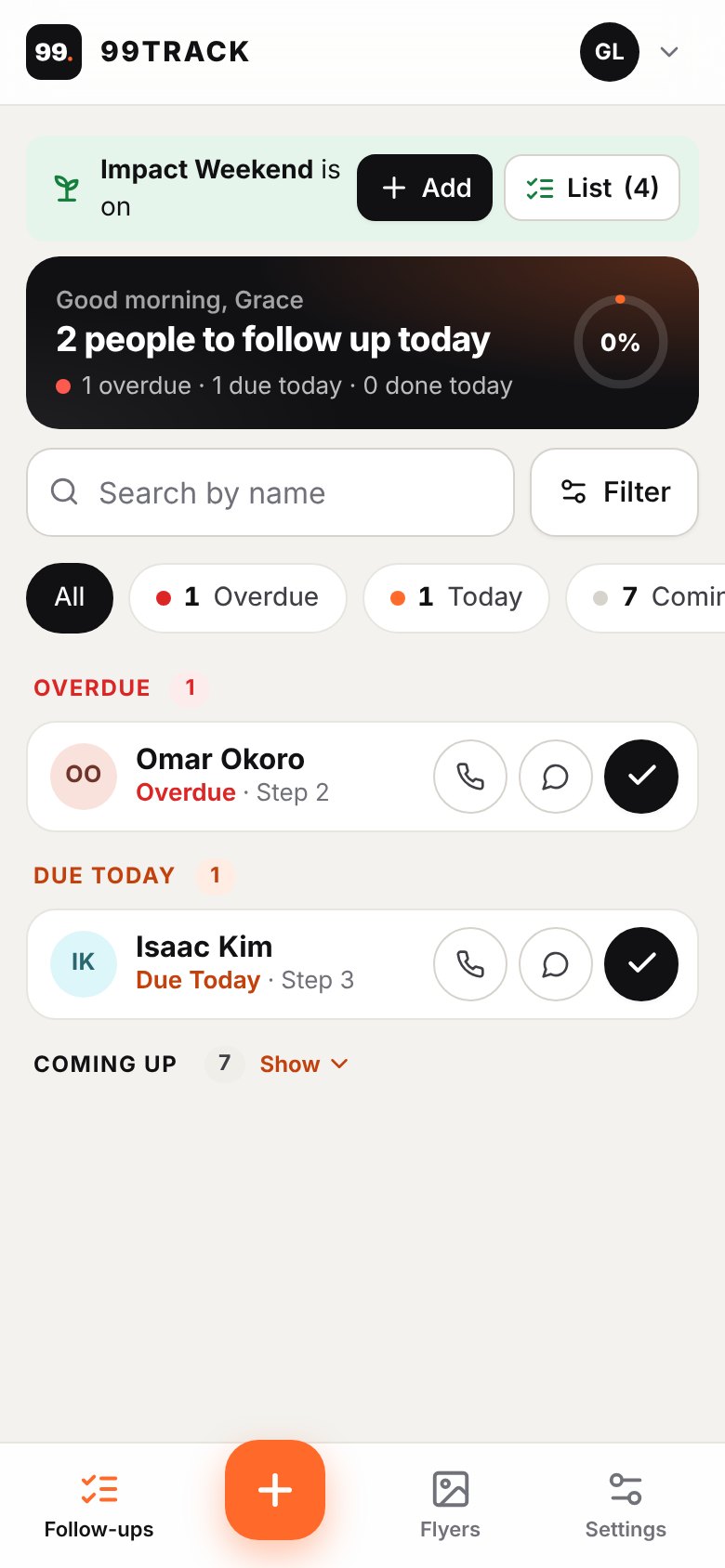
Each morning, every volunteer sees just the people they’re caring for, most urgent first.
- A morning reminder on their phone or by email
- One tap for “Contacted” or “Tried”, with a quick note
- People coming up later wait quietly until it’s their turn
Say hello in seconds.
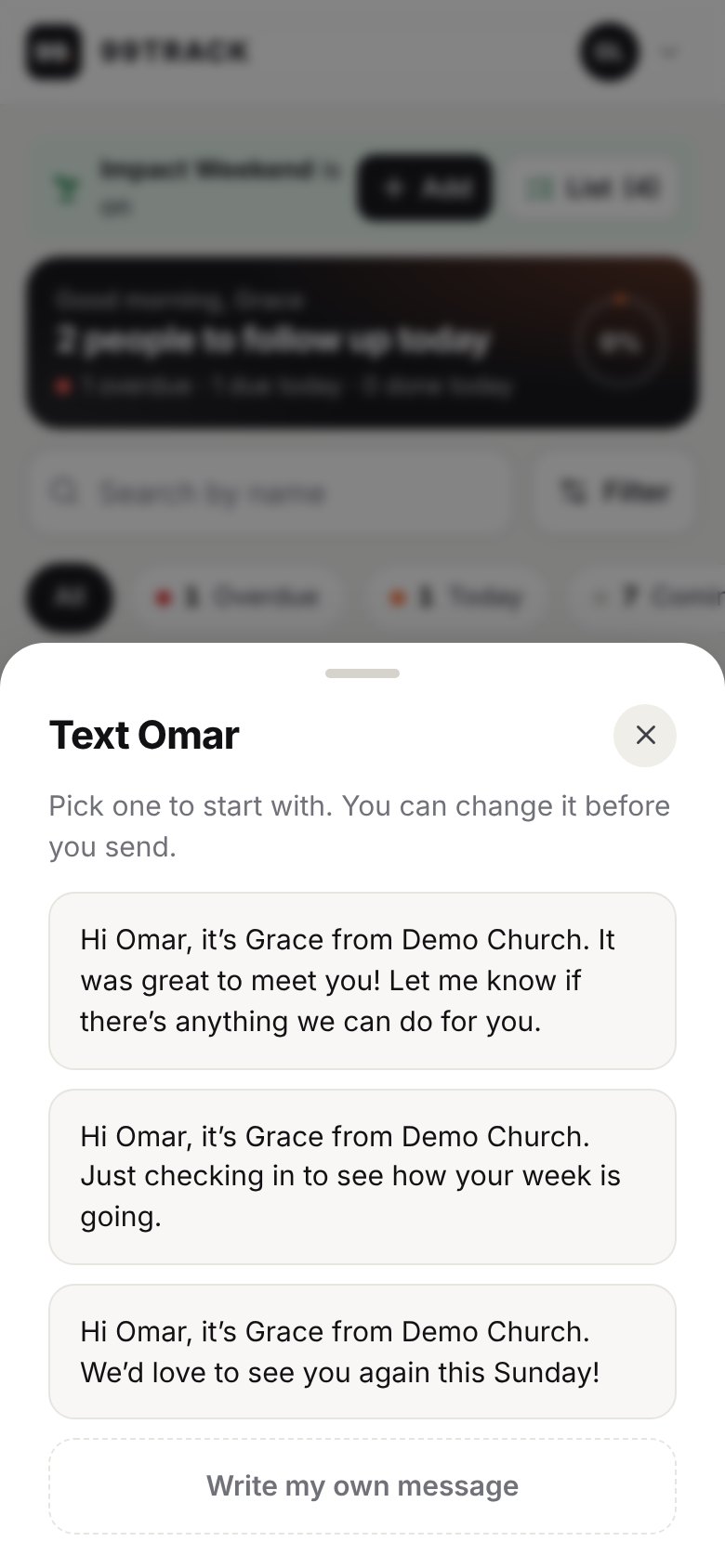
Tap Text or Email and choose a warm message your church has written, with their name already in. Change any word before it sends.
- Opens the phone’s own Messages or mail app
- Your church chooses the wording
- First-time volunteers know exactly what to say
See where every person is up to.
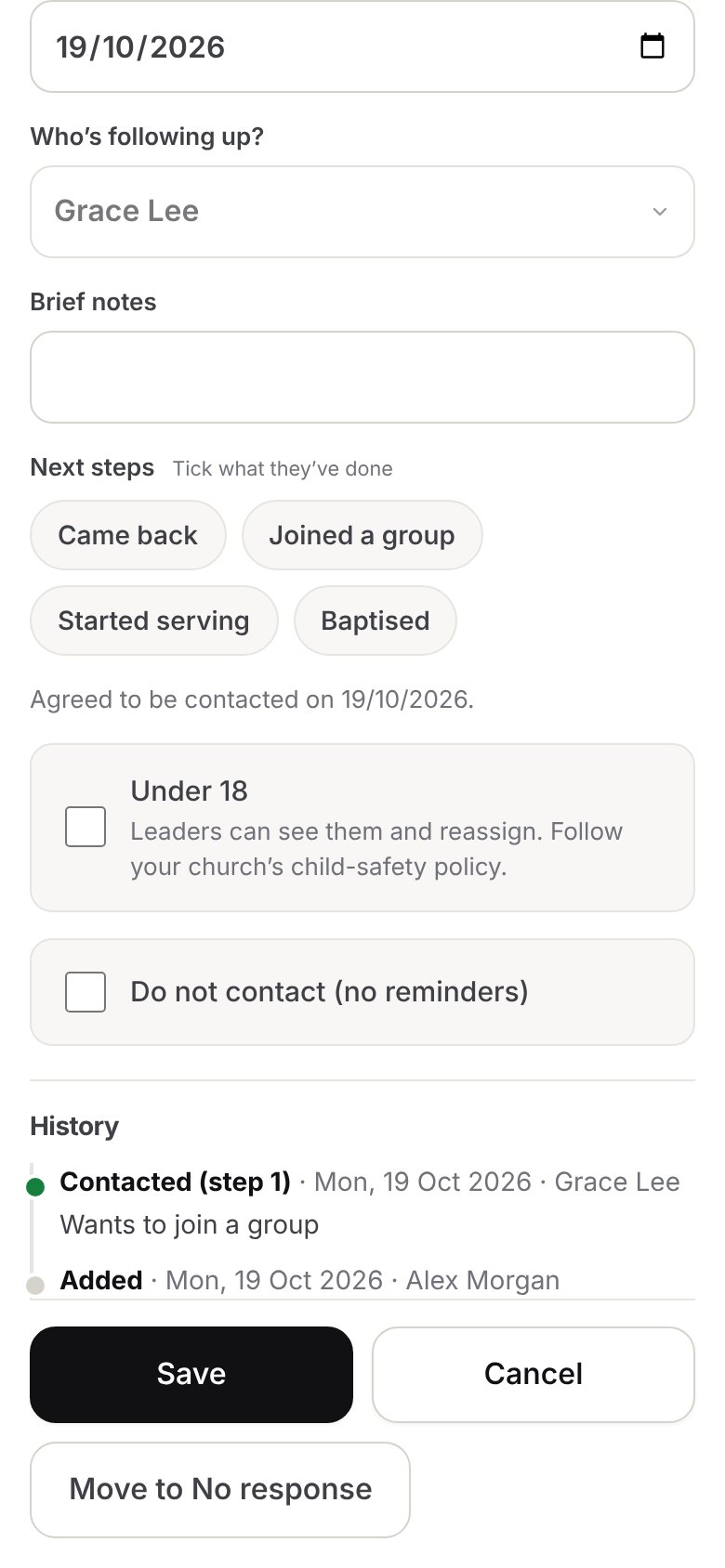
Every call, try, note and next step in one timeline. When a volunteer steps back, the next person picks up exactly where they left off.
- Who called, when, and how it went
- A gentle “No response” list after several tries
- Under-18s are marked, and leaders can see and reassign them
See fruit, not just phone calls.
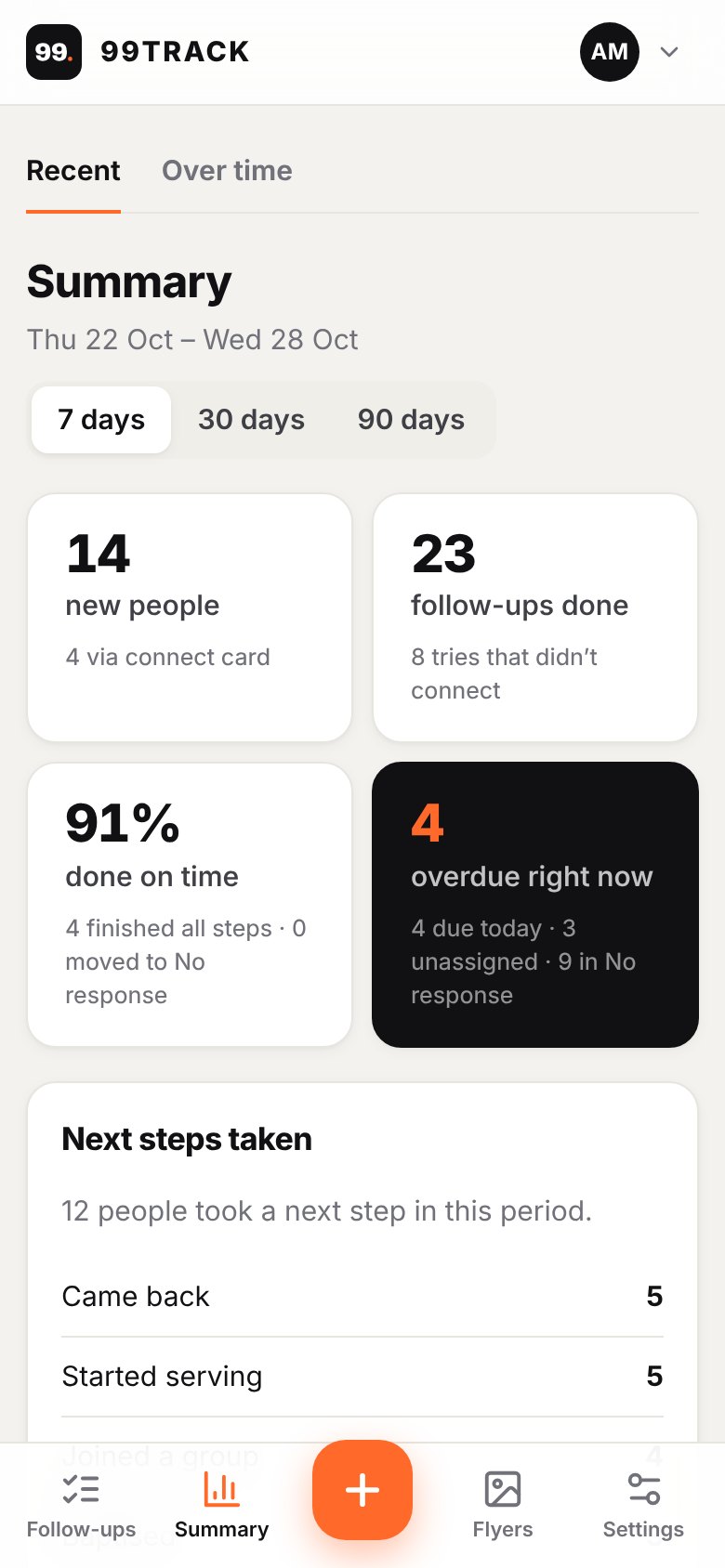
Tick the next steps people take, like joining a group or starting to serve. Leaders get a weekly summary of new people, follow-ups done on time, and next steps taken.
- A Summary page for 7, 30 or 90 days
- A “Needs attention” list, one tap to act
- Emailed to leaders every week
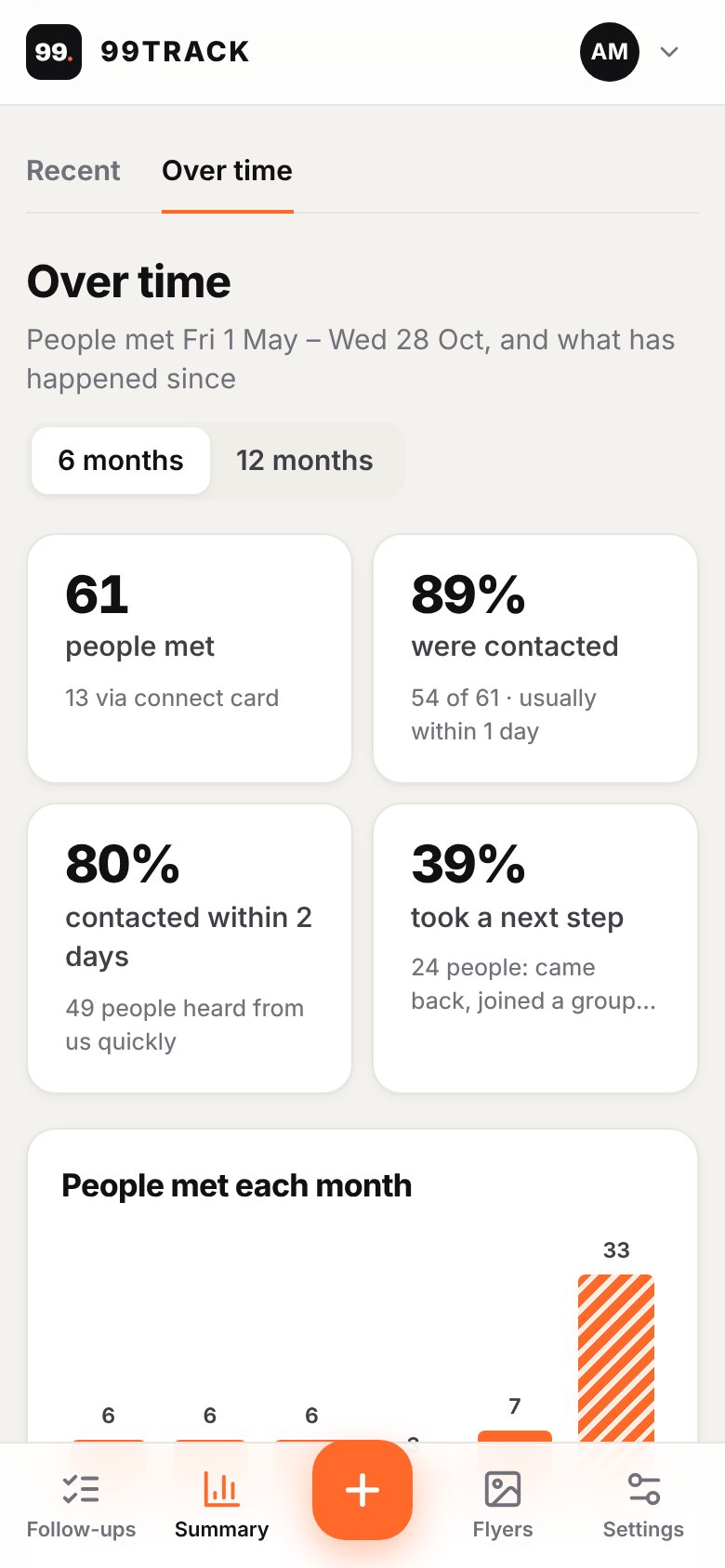
Watch it grow, month by month.
The pastor’s view follows each month’s new people through: how many were contacted, how many within two days, and how many took a next step.
- 6 or 12 months at a glance
- See which months need more help
- Real numbers for your leadership team
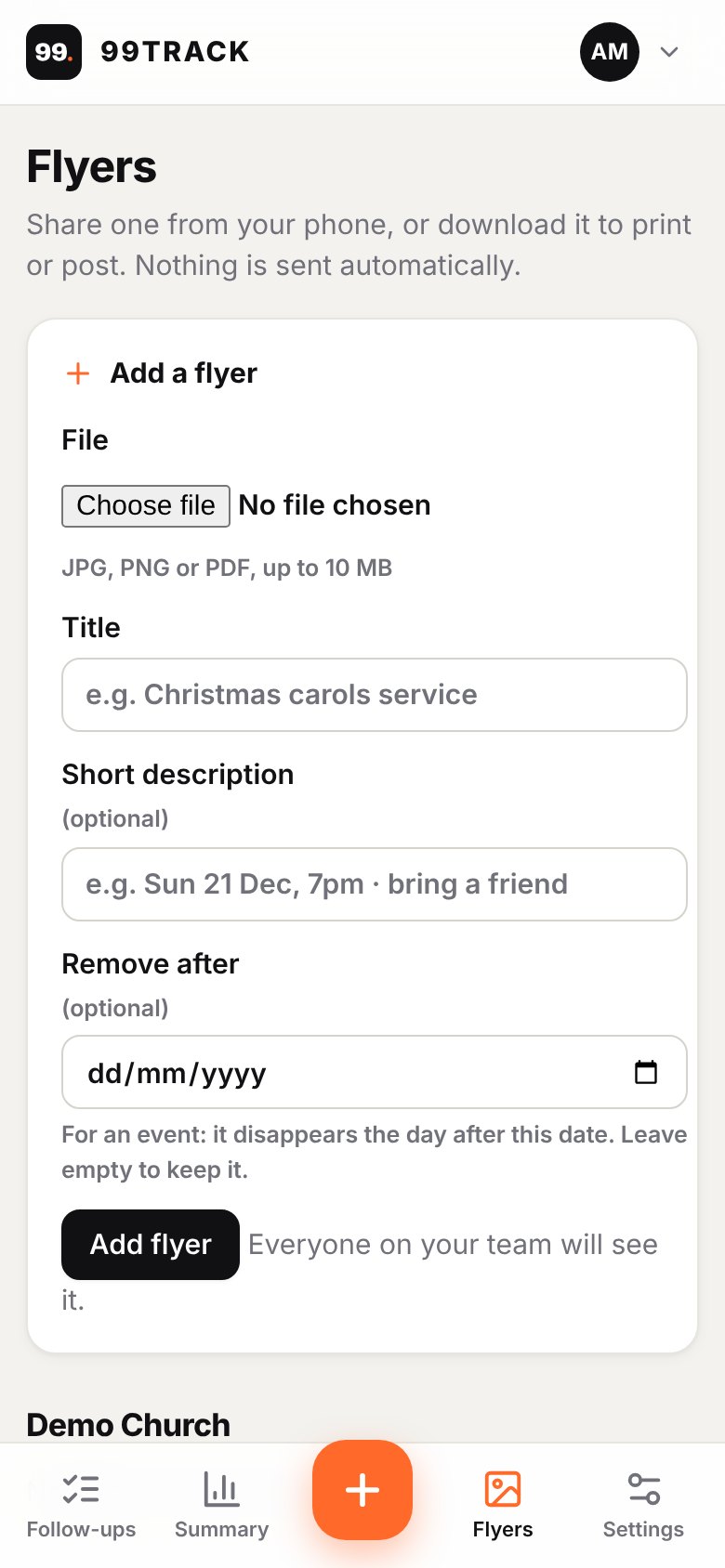
Flyers your whole team can share.
A welcome flyer made for your church, with your name, service times and address, ready to print or send. Add your own flyers for events, and share them from any phone.
- Share to Messages, WhatsApp or email
- Download to print for the welcome desk
- Nothing is ever sent automatically
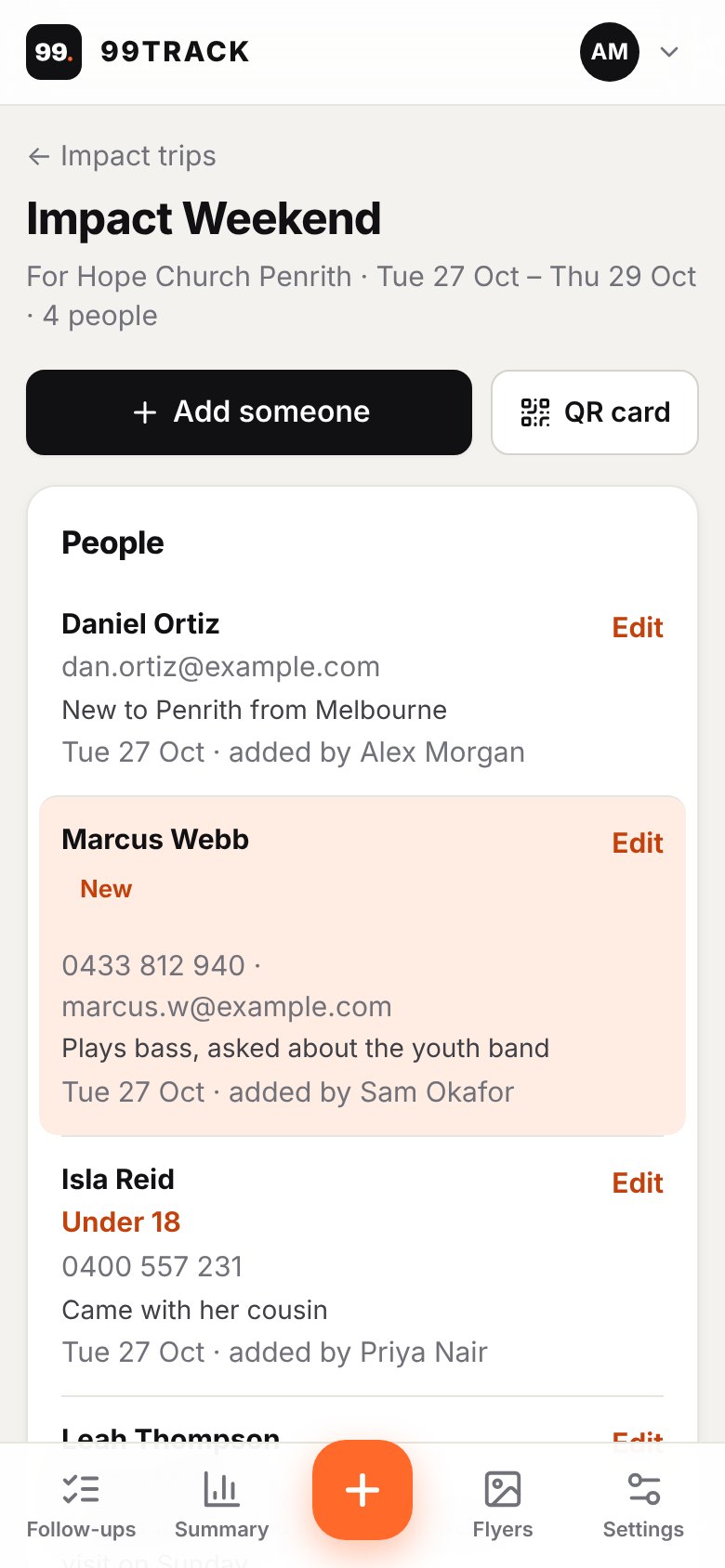
Serving at another church? Bring the people with you.
On an impact trip, your team adds the people they meet in one place, kept apart from your own list. Then hand the list to the church you’re helping.
- Quick add from any volunteer’s phone
- Volunteers see when their people are passed on
- Download as a spreadsheet or an image
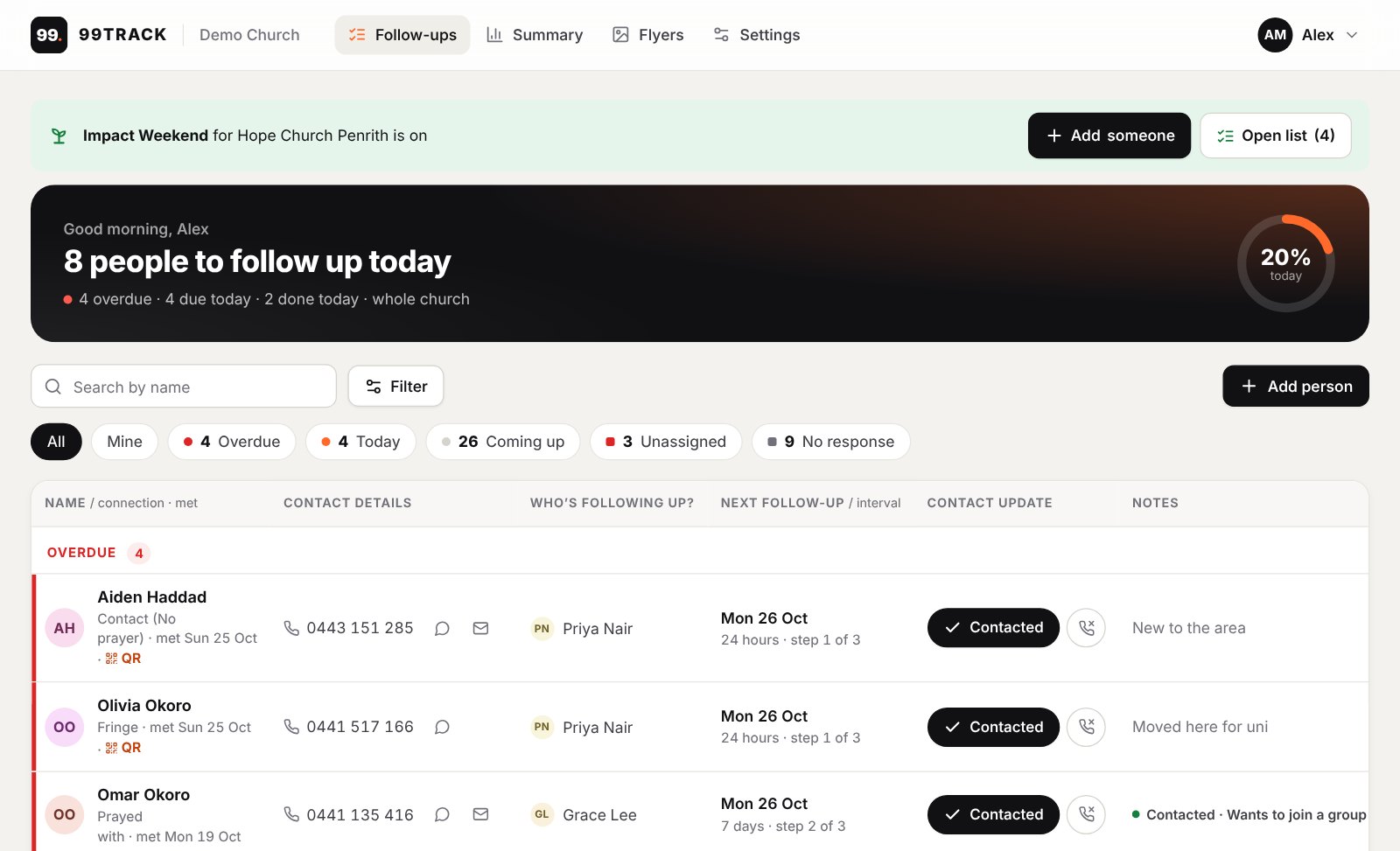
And on the computer at the welcome desk or the church office.